


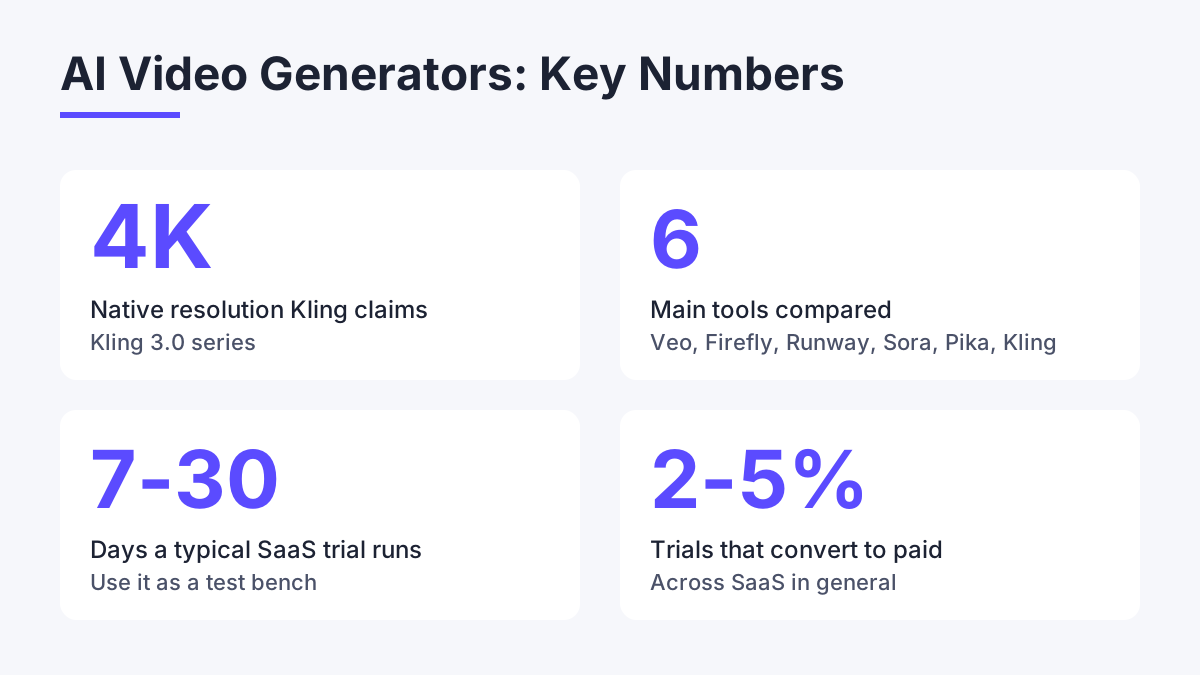
Kling AI introduced what it calls the first native 4K video model, and that single spec shows how fast this market has split into specialist tools. The honest answer to "which is best" is that it depends on whether you make ads, social clips, product demos or short films. This comparison covers the main options a UK buyer will meet: Google Veo, Adobe Firefly, Runway, OpenAI Sora, Pika Labs and Kling AI. It is written from a buyer's seat, with the weaknesses named.
How to judge an AI video generator
Rankings published by large review sites tend to crown one winner on realism. That is a fair test, but it ignores the things that decide whether you keep paying. Start with output resolution, because many tools cap at 1080p and upscale afterwards. Kling AI claims native 4K output through its Kling 3.0 series, which matters if the clip is going to a client or a large screen.
Next, look at control. Camera movement, motion brushes, lip sync and avatar tools are the difference between a lucky clip and a repeatable workflow. Then check credits and billing. Most platforms charge by generation, so a failed render still costs you. Finally, consider integration points: an API, export formats and whether the tool fits the apps your team already uses.
A fifth factor that rarely appears in roundups is data handling. UK and EU users fall under GDPR, which means the vendor should publish a privacy policy and a data processing agreement, and tell you where uploaded footage is stored. Check this before you upload client material.
The main options compared
Google Veo currently earns most of the realism praise in the major reviews. Clips look physically convincing and audio can be generated alongside the picture. The trade-off is access and cost: it sits inside Google's wider subscription structure, so you pay for more than video.
Adobe Firefly is the safe pick for agencies. It slots into Creative Cloud, so editors stay in familiar tools. Its strength is commercial comfort rather than raw creativity. If your team already pays for Adobe, the marginal cost is low and the learning curve is nearly flat.
Runway has the longest track record and a mature editing layer. It suits people who want to generate, then cut and composite in the same place. Pika Labs is lighter and quicker for short social clips, though it offers less control over longer sequences. OpenAI Sora produces strong cinematic results, but availability and limits have shifted over time, so check current access before you plan a project around it.
Kling AI is an all-in-one creative studio built by Kuaishou. It covers video, image, sound and effects generation, with camera control, a motion brush, lip sync and avatar creation. It also has an API platform for developers. If you want a direct head-to-head, our Kling AI vs Runway comparison goes through the differences feature by feature, and the full Kling AI review covers day-to-day use.
What testing software for UK buyers taught me
In October 2023 I spent two weeks inside each of four SaaS project management tools for a comparison aimed at GB teams of 10 to 50 seats. Pricing ran from roughly 8 pounds to 22 pounds per seat per month. The sticker price told me almost nothing. What separated the tools was how they behaved once I pushed them: how much of the configuration survived a bad day, and how cleanly each one connected to a CRM. Under load, the scalability gaps were obvious within hours.
I apply the same habit to AI video tools. Run the identical prompt through each candidate, note how many attempts it takes to get a usable clip, and count the credits burned on the misses. A generator that looks cheap per clip but needs six tries is dearer than one that lands on the second. Kling AI was already on my radar back then as a sign of AI creeping into adjacent software categories, and the trial-and-count method is what I would use on it today.
Free and trial options: what you actually get
Searches for free AI video generators dominate this topic, so it is worth being plain about what free means. Almost every serious tool offers a limited free tier or a trial rather than unlimited use. Free tiers usually add watermarks, cap resolution, restrict clip length and queue your job behind paying users. They are good for testing a prompt style, not for client work.
Across SaaS in general, trials run 7 to 30 days and only 2 to 5 percent convert to paid. The practical lesson: treat the free allowance as a test bench. Write three prompts that represent your real work, run them on two or three platforms, and compare the results side by side. For current plan details and credit costs on this platform, see Kling AI pricing plans.
Which tool for which job
For social clips aimed at TikTok and Reels, speed and short-form polish win, so Pika Labs and Kling AI are sensible starting points. For polished ad creative that has to look photoreal, Veo is the benchmark to beat. For agencies with existing Adobe licences, Firefly removes friction. For editors who want to build a finished piece in one workspace, Runway still makes sense.
Developers and product teams have a different need. If you want to embed video generation in your own app, API access is the deciding factor. Kling AI offers an API platform, and its documentation covers the quickstart and pricing. That makes it worth a look if you are building rather than just creating. Documentation quality matters more than most people expect, since poor docs slow adoption and drive up support load.
What could be better
No tool here is flawless, and the weaknesses are specific. Generation credits are the main pain point everywhere: failed or unusable renders still consume them, so your real cost per good clip is higher than the headline price. Kling AI is no exception, and heavy 4K use will burn through an allowance faster than 1080p drafts.
Clip length is the second limit. Most generators produce short segments, so a minute-long video means stitching several clips together and keeping characters consistent across them. Expect to spend editing time on that. Third, support tiers vary. Premium help is often locked behind expensive plans, and Kling AI lists [email protected] as its contact route, which is fine for simple queries but slower than a dedicated account manager for a business.
Finally, regulatory clarity is thin. The dossier for Kling AI shows its status in the US, EU and UK as unknown rather than confirmed. Check the terms before using generated footage commercially, and keep records of the prompts and settings you used. If safety is your concern, read is Kling AI safe and is Kling AI legit before you upload anything sensitive.
A simple way to choose
Decide on three things before you open any pricing page. First, the final resolution you need. Second, the longest single clip you will realistically generate. Third, whether you need an API or just a web interface. Those answers eliminate half the field.
| Need | Strong fit | Main caveat |
|---|---|---|
| Most realistic clips | Google Veo | Bundled into wider subscription |
| Adobe workflow | Adobe Firefly | Less creative range |
| Native 4K plus API | Kling AI | Credits drain faster at 4K |
| Generate and edit together | Runway | Learning curve for newcomers |
If you read from Belgium or work across borders, the sister platform Kling AI Belgium serves that audience with the same product. Whichever tool you shortlist, run the same three test prompts through each, log the attempts and credits, and let the numbers decide.
Comments
No comments yet.
Leave a comment
Your email will not be shown. Comments are reviewed before they appear.